Online Ordering for Restaurants: Keep Your Margins
Compare online ordering options for restaurants. Learn why your own app beats third-party platforms on cost and control.
The Online Ordering Dilemma
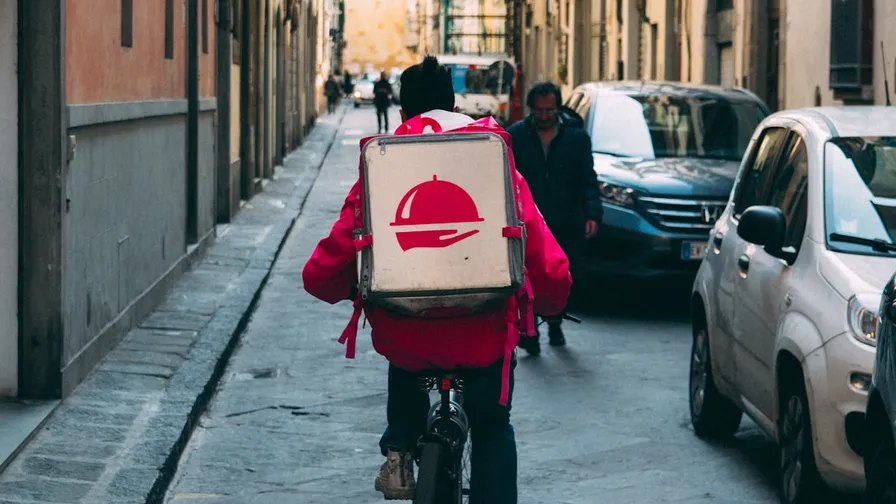
Every restaurant needs online ordering in 2026. The question isn’t whether — it’s how. And the how matters more than most restaurant owners realize.
Third-party platforms like DoorDash, Uber Eats, and SkipTheDishes offer instant visibility. But they come at a steep cost: 15-30% commission on every order. On a $25 order, you’re giving away $3.75 to $7.50 before food costs.
There’s a better way.
The Three Options (Compared)
Option 1: Third-Party Platforms
Pros:
- Instant access to a large user base
- Built-in delivery logistics
- No setup or development needed
Cons:
- 15-30% commission per order
- You don’t own the customer relationship
- Customer data belongs to the platform
- Your restaurant competes with hundreds of others
- No loyalty program integration
- Prices often marked up, frustrating customers
Best for: Discovery and reaching brand-new customers who don’t know you exist yet.
Option 2: Website Ordering Widget
Pros:
- Lower commission (some charge flat fees)
- Customers order on your website
- Some customer data retained
Cons:
- Mobile web experience is inferior to native apps
- No push notifications
- No loyalty integration (usually)
- Still a third-party dependency
- Lower conversion rates than native apps
Best for: Restaurants not ready for a full app but wanting to reduce platform dependency.
Option 3: Your Own Branded Mobile App
Pros:
- Zero commission on orders
- Full customer ownership
- Push notifications for free marketing
- Integrated loyalty and rewards
- Higher average order values (15-25% more)
- Native mobile experience = higher conversion
- Square POS integration for seamless operations
Cons:
- Requires promoting app downloads
- No built-in delivery fleet (pair with a local delivery service)
Best for: Restaurants serious about building long-term customer relationships and maximizing margins.
The Math That Changes Everything
Let’s compare the annual cost of 200 orders per month:
| Third-Party (25%) | Your Own App ($149/mo) | |
|---|---|---|
| Monthly orders | 200 | 200 |
| Average order | $25 | $28 (15% higher on apps) |
| Monthly revenue | $5,000 | $5,600 |
| Platform fees | $1,250 | $149 |
| Net revenue | $3,750 | $5,451 |
| Annual difference | +$20,412 |
That’s over $20,000 per year in additional revenue — from the same customers, ordering the same food.
Setting Up Online Ordering With Square
If you’re already on Square, launching mobile ordering through your own app is straightforward:
Step 1: Catalog Setup
Your Square catalog — items, categories, modifiers, images, and prices — syncs automatically to your app. If your catalog is already organized in Square, you’re 80% done.
Tips for a great mobile menu:
- Use high-quality photos for every item (items with photos get 2x more orders)
- Write short, appetizing descriptions
- Organize categories in the order customers think (appetizers → mains → desserts → drinks)
- Set up modifiers for customization (size, toppings, sides)
Step 2: Order Settings
Configure how orders work:
- Prep time: How long before an order is ready (15, 20, 30 minutes)
- Order ahead: Allow scheduling for future pickup times
- Business hours: When mobile ordering is available
- Minimum order: Set a minimum if needed for delivery
Step 3: Notification Setup
When an order comes in:
- Your Square POS or KDS receives the order instantly
- Staff gets notified (sound alert, pop-up, or ticket print)
- Customer gets a confirmation push notification
- When the order is ready, customer gets a “Ready for pickup!” notification
Step 4: Pickup or Delivery
Pickup: The most common model. Customer orders ahead, you prepare, they pick up. No delivery logistics needed.
Delivery: Partner with a local delivery service or use your own drivers. Some restaurants offer delivery within a small radius using their own staff.
Features That Boost Mobile Orders
Saved Favorites and Reordering
Customers can save their go-to orders and reorder with a single tap. This reduces friction to near-zero and increases order frequency significantly.
Upselling and Cross-Selling
Smart suggestions at checkout:
- “Add a drink for just $2.50?”
- “Customers who ordered this also loved…”
- “Upgrade to a large for $1 more”
These prompts increase average order value by 10-15% — something a phone order or walk-in counter rarely achieves.
Order Scheduling
Let customers order hours or days in advance:
- “Order now for 12:30 PM pickup” (lunch crowd beats the rush)
- “Schedule your Friday dinner by Thursday night”
- Catering orders placed days ahead
Scheduled orders are larger, planned, and more reliable than impulse orders.
Group Ordering
One person starts an order, shares the link, and everyone adds their items. The final order is submitted and paid by one person. Perfect for:
- Office lunch orders
- Family meals
- Group takeout for events
Promoting Your Online Ordering
Having online ordering isn’t enough — you need to drive adoption:
In-store:
- Table tents: “Skip the wait — order on our app”
- Receipt messages: “Download our app for easy reordering”
- Staff scripts: “Did you know you can order ahead through our app?”
Digital:
- Push notification to existing app users: “Mobile ordering is live! Try it now with 10% off your first app order”
- Social media: “Order directly from us — no fees, no middlemen”
- Google Business Profile: Add your app link
The incentive that works best: “Your first app order gets free [popular item].” This drives downloads AND first orders simultaneously.
Making the Transition
You don’t have to quit third-party platforms overnight. The smart approach:
- Month 1: Launch your app alongside existing platforms
- Month 2-3: Promote app ordering in-store and via social. Offer app-exclusive deals.
- Month 4-6: As app orders grow, evaluate which platforms are still worth the commission
- Month 6+: Reduce or eliminate high-commission platforms. Keep those that bring genuinely new customers.
The goal isn’t to disappear from delivery apps entirely — it’s to shift your regulars to your own app where they cost you $0 in commission instead of $5-7 per order. A loyalty program is one of the best ways to incentivize that shift.
The Bottom Line
Online ordering is table stakes. The question is: will you pay someone else 25% of your revenue for the privilege, or will you invest $149/month in a system you own?
The answer, for restaurants that do the math, is obvious.
Team LoyaltyLive
Helping small businesses build custom mobile apps with loyalty rewards and Square POS integration.
Related Articles
5 Restaurant Technology Trends Shaping 2026
From AI-powered ordering to contactless payments, here are the tech trends every restaurant owner should know.
Read more
Digital Coupons vs Paper Coupons: Why Restaurants Are Going Mobile
Compare digital and paper coupons for restaurants. See why mobile coupons get 10x higher redemption rates.
Read more
Square POS Mobile App Integration: The Complete Guide
Step-by-step guide to connecting your Square POS with a custom mobile app to boost sales and customer engagement.
Read more