Square POS Mobile App Integration: The Complete Guide
Step-by-step guide to connecting your Square POS with a custom mobile app to boost sales and customer engagement.
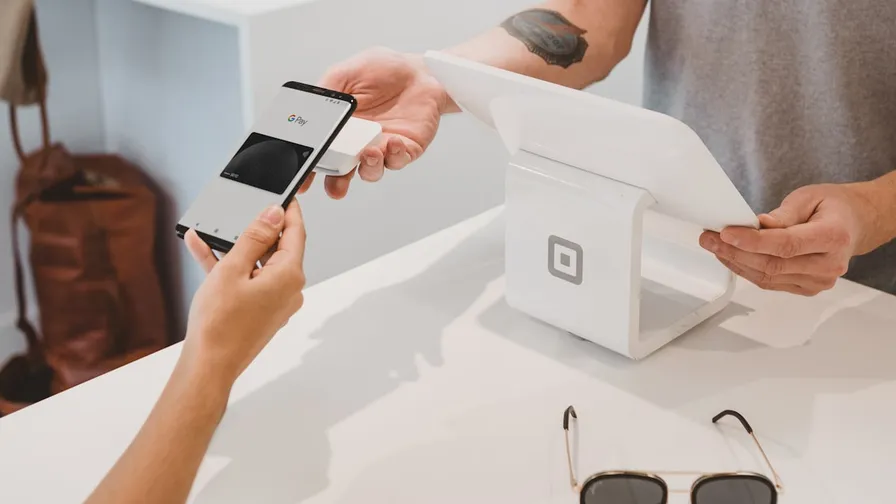
Why Connect Your Square POS to a Mobile App?
If you’re already using Square, you have a powerful foundation. Your catalog, inventory, and payment processing are all set up. But are you maximizing its potential?
A custom mobile app connected to your Square POS opens up new revenue channels:
- 2.7x higher conversion rates compared to mobile websites
- 46% push notification open rates (vs. 2% for email)
- 34x monthly ROI on average for merchants with branded apps
How the Integration Works
Automatic Catalog Sync
When you connect your Square account, your entire product catalog — items, categories, images, prices, and modifiers — syncs automatically to your mobile app. No manual data entry required.
Changes you make in Square Dashboard reflect instantly in your app:
- Add a new menu item? It appears in the app within minutes
- Update pricing? Automatically synced
- Mark something as out of stock? Removed from the app
Payment Processing
All mobile orders process through your existing Square account:
- Payments appear in your Square Dashboard alongside in-store transactions
- Unified reporting across all channels
- Same competitive processing rates
Order Management
Mobile orders flow directly into your Square POS or Kitchen Display System:
- Real-time order notifications
- Estimated pickup times
- Order status updates pushed to customers
Setting Up Your Integration
Step 1: Connect Your Square Account
The setup process takes about 5 minutes. Simply authorize the connection and your catalog begins syncing immediately.
Step 2: Customize Your App
With your catalog imported, customize the app to match your brand:
- Upload your logo and brand colors
- Arrange menu categories for mobile browsing
- Set business hours and pickup locations
- Configure order settings (prep time, order ahead windows)
Step 3: Add Loyalty Features
Layer on customer engagement tools:
- Points-based rewards program
- Push notification campaigns
- Promotional offers and coupons
- VIP tiers for your best customers
Step 4: Launch on App Stores
Submit your app to Apple App Store and Google Play Store. The review process typically takes 1-3 days.
Real Results from Real Merchants
Square merchants who add a branded mobile app see measurable results within the first month:
- Average order value increases 15-25% through upselling and suggested items
- Repeat visit frequency doubles with push notification campaigns
- Labor costs decrease as more orders come through self-service mobile ordering
Common Questions
Do I need technical skills?
No. The entire process is no-code. If you can use Square Dashboard, you can build and manage your mobile app.
Will it work with my existing Square setup?
Yes. The integration works with all Square plans and supports Square’s full feature set including modifiers, variations, and categories.
How long does it take to launch?
Most merchants go from signup to a live app in under 30 minutes. App store approval adds 1-3 business days.
Next Steps
If you’re a Square merchant looking to grow, a branded mobile app is the highest-impact investment you can make. Start with your existing Square catalog and add loyalty, push notifications, and mobile ordering — all without writing a single line of code.
Team LoyaltyLive
Helping small businesses build custom mobile apps with loyalty rewards and Square POS integration.
Related Articles

How Square Catalog Sync Works With Your Mobile App
Your Square catalog powers your mobile app automatically. Learn how sync works, what transfers, and how to optimize.
Read more
Best Square Marketplace Apps for Restaurants in 2026
Top Square marketplace integrations every restaurant should know. From loyalty to scheduling to marketing.
Read more
Online Ordering for Restaurants: Keep Your Margins
Compare online ordering options for restaurants. Learn why your own app beats third-party platforms on cost and control.
Read more